Steps with standard AutoCAD tools
- Open one drawing.
- Use LAYMRG to merge layers with non-standard names into the standard layers.
- In the Layer Properties Manager, set the colors and linetypes to match the standard.
- Select all objects, and in the Properties palette set color and linetype back to ByLayer.
- Save and close the drawing, then repeat steps 1 to 4 for the next one.
For a large number of drawings, you can also run these operations as a script (.scr). However, if layer names differ from drawing to drawing, the same script will not fix them all.
Ask AI to do it in one step
Start AutoCAD. Then ask an AI client with Drawing Rule Fixer for AutoCAD installed (for example, Claude Desktop):
"Fix the drawings in C:\Drawings\ProjectA to match our standard and save them in a folder named Fixed"
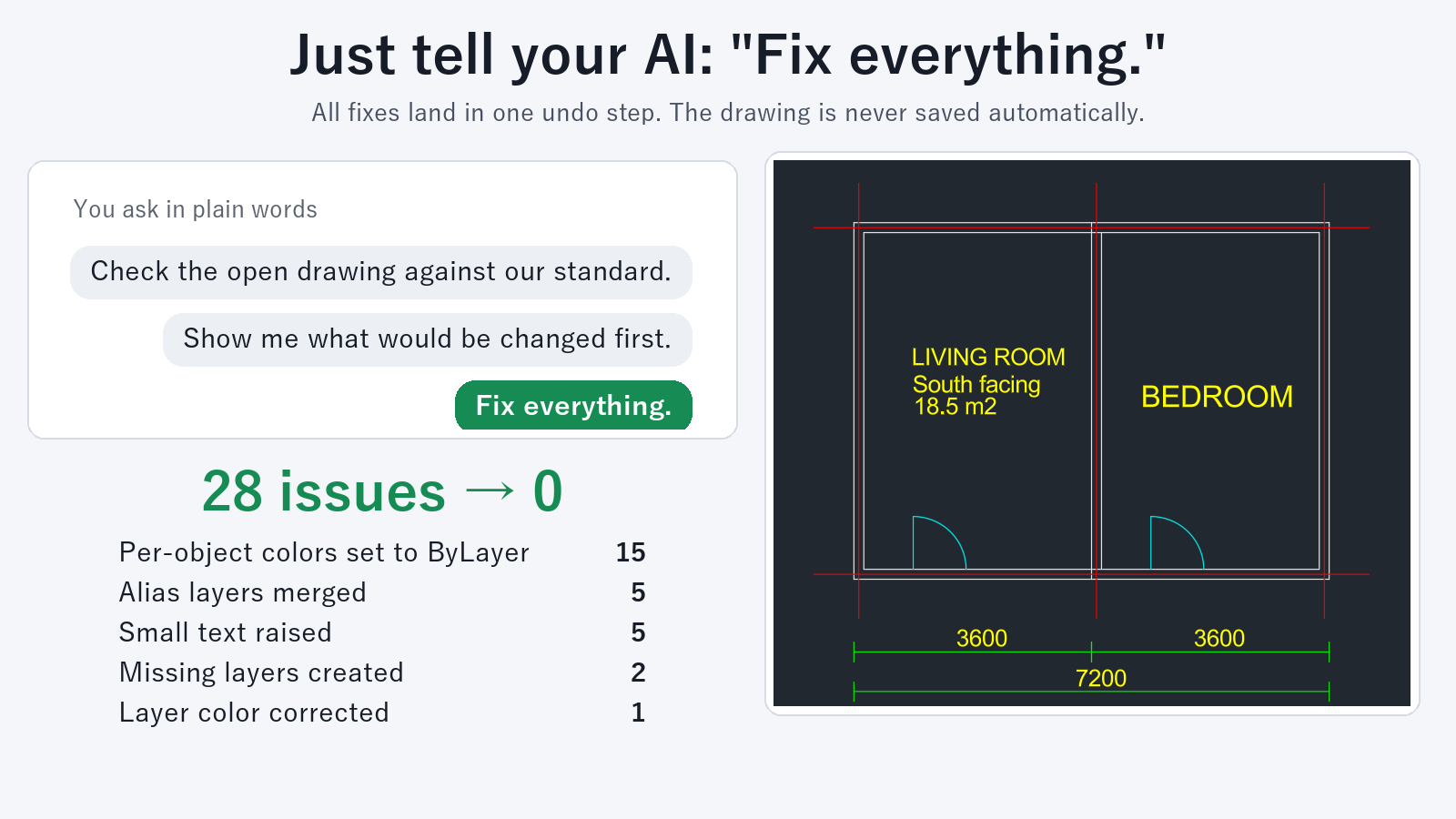
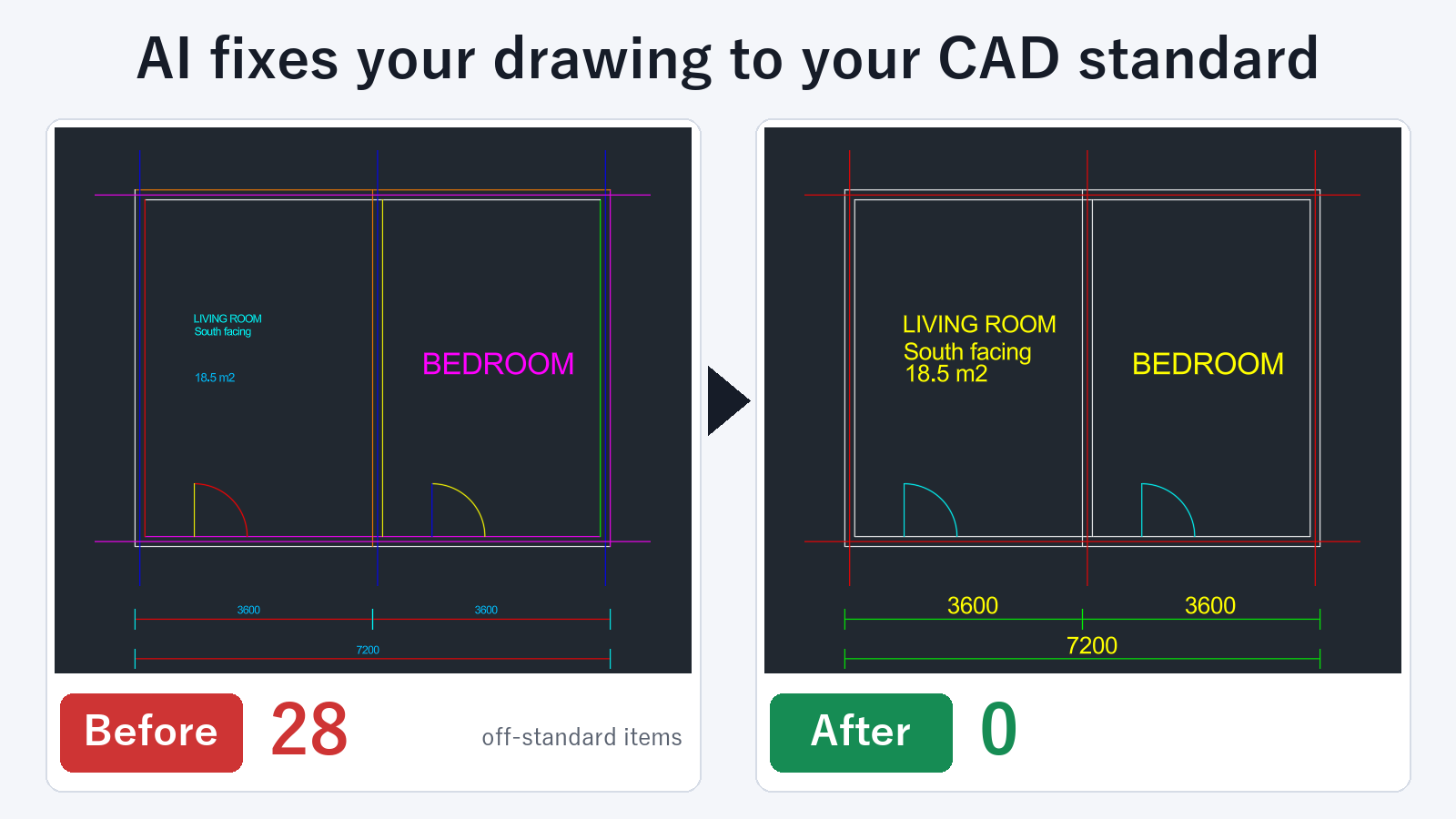
The tool opens each DWG and DXF file in the folder one at a time, finds where each drawing differs from the standard, fixes it, and saves it under the same name in a separate folder. It fixes the items written in your rules, such as merging layers with non-standard names, layer colors and linetypes, objects with individually set colors and linetypes (reset to ByLayer), the height of small text, and replacing text styles and dimension styles.
You get a table that shows, for each drawing, the number of issues before the fix, the number fixed, and the number remaining. It shows at a glance which drawings are clean and which need a person to look at them.
Built to be safe to hand over
- Your original files are not changed. Fixed drawings are saved in a separate folder. If a file with the same name already exists there, it is not overwritten. Drawings with no changes are not saved, so the output folder contains only the drawings that were fixed.
- You can preview first. Ask "Before you fix anything, show me what would be fixed and how many" and the tool returns only the counts for each drawing, without saving anything.
- The drawing you are working in stays as it is. If a drawing in the folder is currently open in AutoCAD, the tool skips that one and tells you. When the run finishes, the drawing you were working on is brought back to the front.
Working with a whole folder of drawings at once, including the preview, is a subscription feature. Checking and previewing drawings one at a time are free.
FAQ
Can it fix drawings when each contractor uses different layer names?
Yes. Write the mappings in your rules, such as "this name goes to this standard layer," and the tool fixes only what applies in each drawing. To add a mapping, tell the AI: "Merge layers WALLS and WALL-OLD into A-WALL".
Does it work on a folder that mixes DWG and DXF files?
Yes. It handles both together. If the folder contains DWG files, keep AutoCAD running.
Where are the fixed drawings saved?
In the folder you name when you ask. If you give only a name (for example, "Fixed"), the tool creates a folder with that name inside the original folder and saves the drawings there. You cannot specify the same location as the original.
Are subfolders processed too?
Only the drawings directly in the folder you specify are processed. One run can handle up to 500 drawings.