What changes when you add MCP
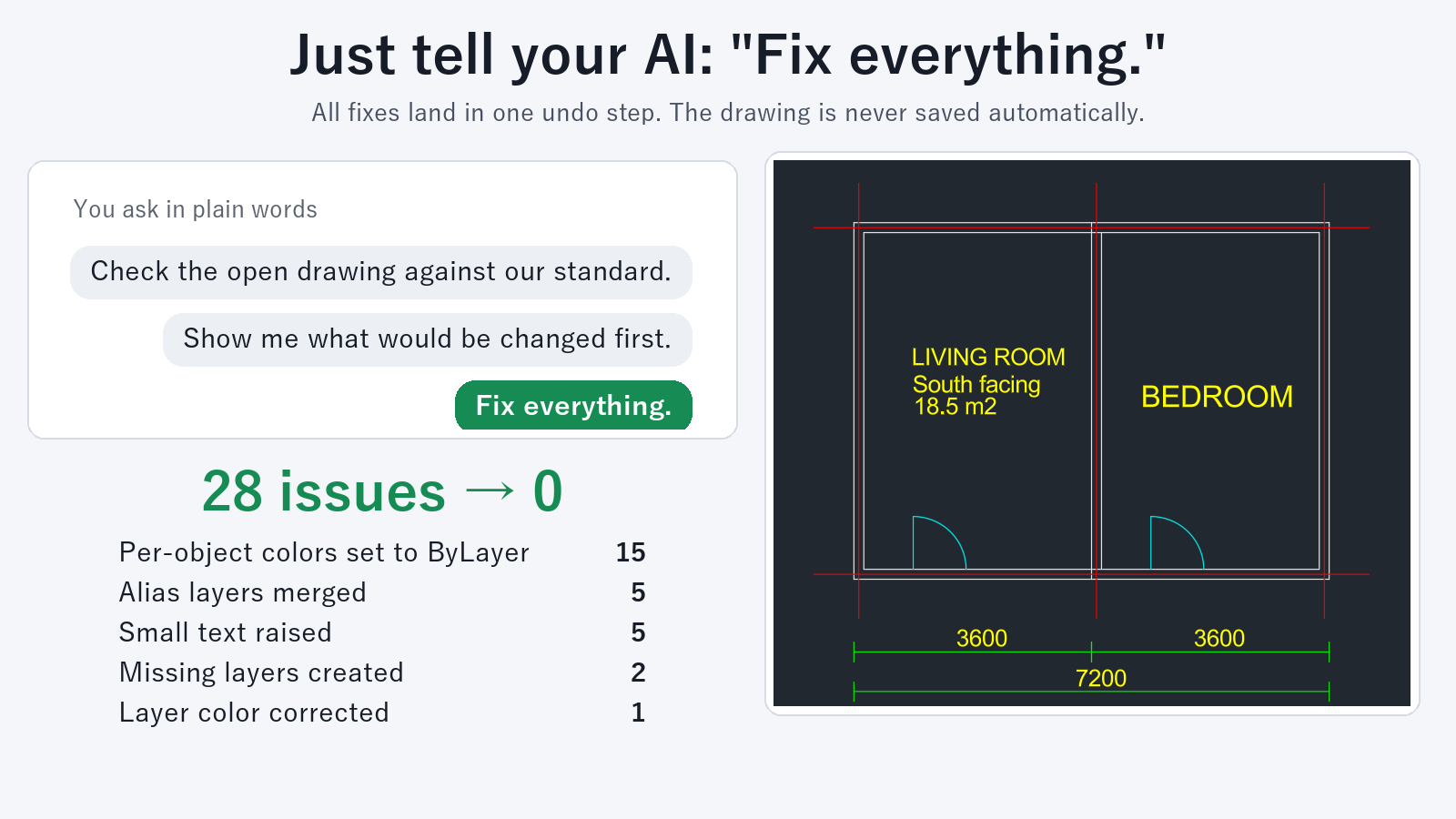
- You can ask the AI in plain language while the drawing stays open. You do not need to remember command names.
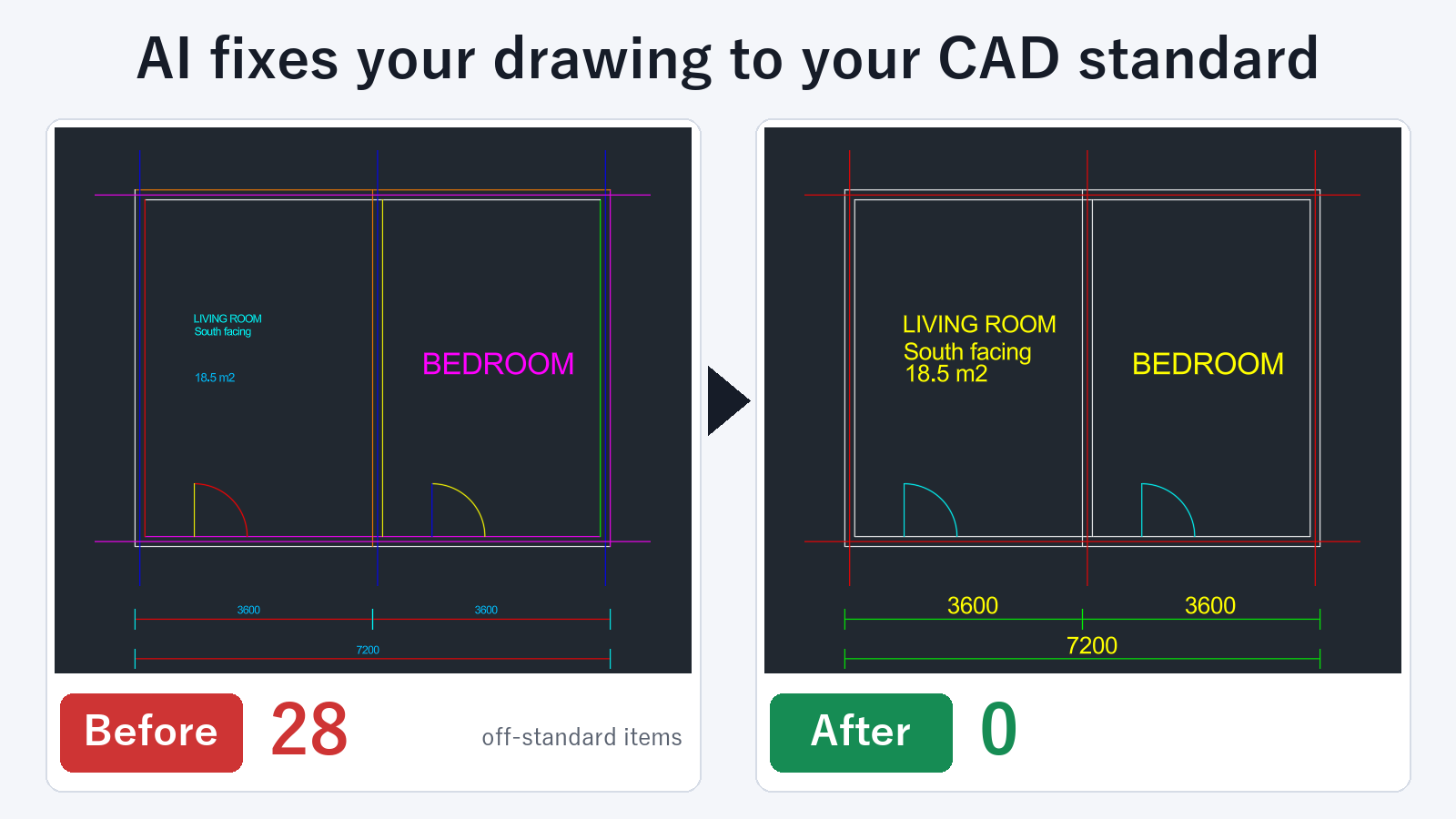
- The AI can do more than look at the drawing and answer. It can run the fixes you ask for inside AutoCAD.
- Results come back as counts and lists, so you can confirm what changed.
You can set it up in Claude Desktop, and also in other apps that support MCP.
Get started with drawing checks and fixes
This example uses Drawing Rule Fixer for AutoCAD.
- Unzip the tool to any folder.
- In Claude Desktop, open Settings → Developer → Edit Config. Add the few lines from the instructions to the file that opens.
- Quit Claude Desktop and start it again.
- In AutoCAD, open a template drawing that follows your company standard. Ask: "Create a rules file from the open drawing".
- Open the drawing you want to check and ask as shown below.
You do not need to install other software. Setup takes about 2 minutes.
Ask AI to do it in one step
- "Check whether this drawing matches our standard"
- "Before you fix anything, show me what will change and how many items"
- "Fix it to match the standard"
- "List the text in this drawing"
- "Translate the text in this drawing into German and write it back"
Checking, listing layers and text, and previewing a fix are free. Fixing drawings, writing text back, and batch processing a folder of drawings need a subscription.
In a drawing open in AutoCAD, one UNDO (Ctrl+Z) reverts a fix. Drawings are not saved automatically. You decide whether to save.
Who this is for
It suits anyone who receives drawings from partner companies with inconsistent layers and colors and fixes them by hand each time. If you put your company standard in one rules file, anyone who asks gets the same check and the same fixes.
FAQ
Do I need programming knowledge to use MCP?
No. You add a few lines to a settings file. After that, you ask in plain language.
Can I use it when AutoCAD is not running?
Checking and fixing DXF files works without AutoCAD running. For DWG files, keep AutoCAD running.
Is my drawing data sent to the AI?
The drawing file itself is not sent. What reaches the AI app is the check result, such as layer names, counts and the matching text.
Can I undo a wrong fix?
In a drawing open in AutoCAD, one UNDO returns it to the state before the fix. DXF files are saved under a different name, so the original file does not change.