Check and fix without AI
- CHECKSTANDARDS: checks the drawing for deviations from a CAD standards file.
- SETBYLAYER: sets individually specified properties, such as color and linetype, to ByLayer.
- LAYMRG: merges layers with nonstandard names into another layer.
Ask AI to do it in one step
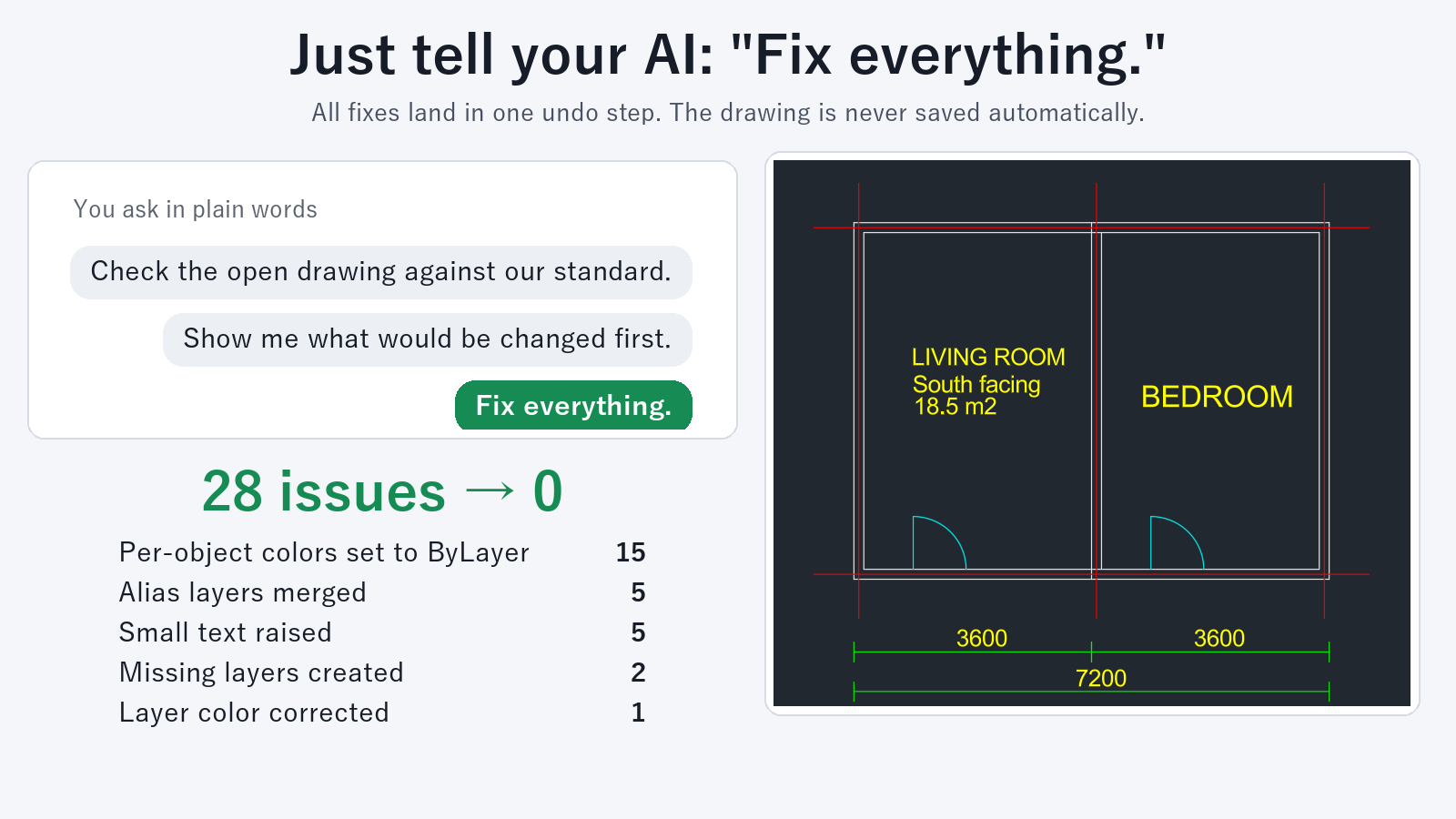
Ask an AI client such as Claude Desktop, with Drawing Rule Fixer for AutoCAD installed. For example:
- "Fix this drawing to match our layer standard"
- "Check whether the open drawing matches the standard"
- "Show me what would be changed first"
To define your standard, open a template drawing that was made to the standard and ask the AI to create rules from it, for example "Create rules from this drawing". This produces a rules file. You can also open a .dws file in AutoCAD and use it as the reference.
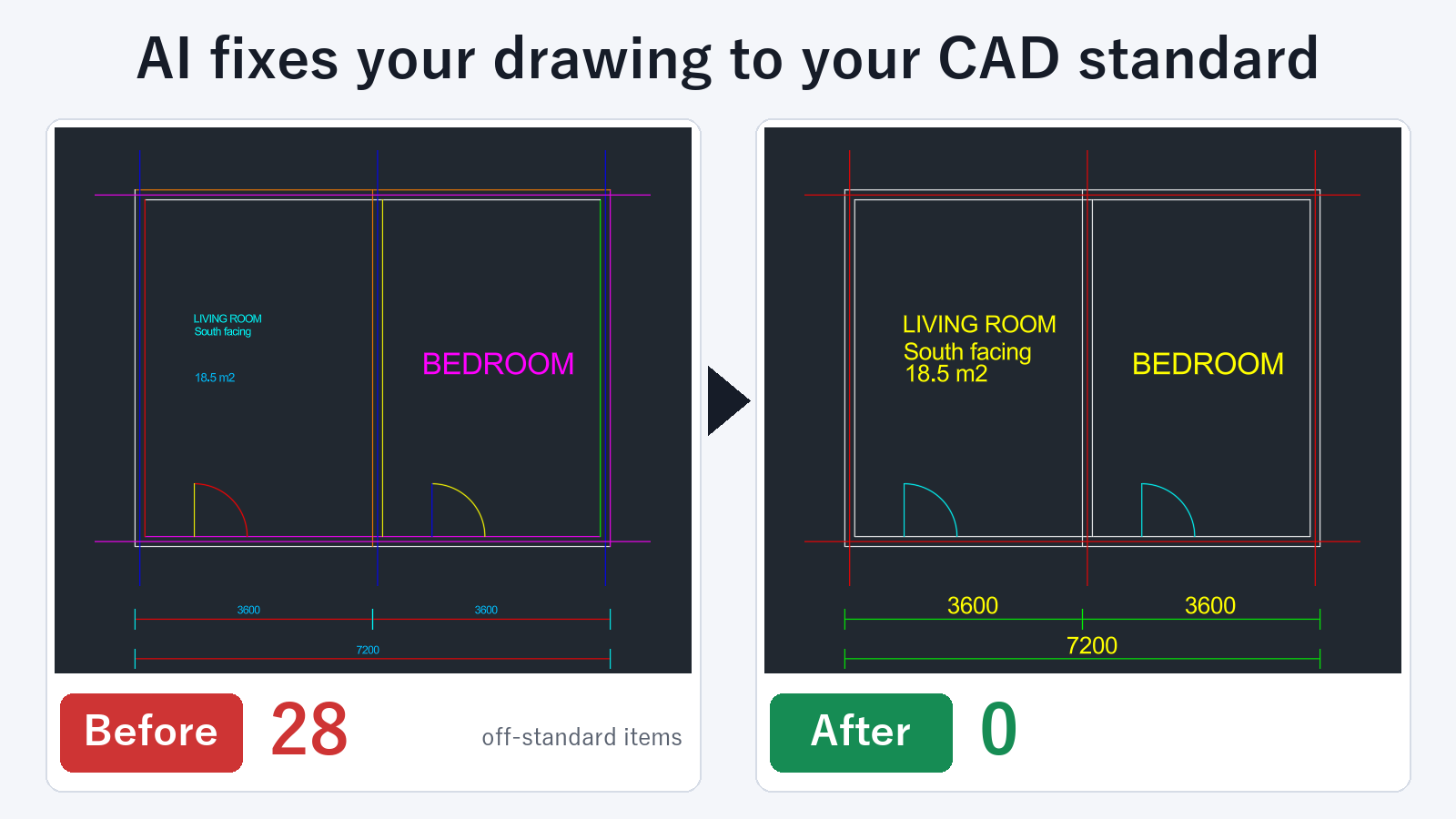
In one pass, a fix can:
- merge layers that have different names,
- remove individual color and linetype overrides,
- fix small text,
- fix layer colors and linetypes and create missing layers.
A fix to a drawing open in AutoCAD can be undone with one UNDO (Ctrl+Z). The tool does not save the drawing automatically. You decide whether to save.
Checking, listing layers, previewing a fix, and creating a rules file are free, with no limit on how often you use them. Fixing drawings and batch checking the DXF files in a folder require a subscription.
Which one to use
If you only need to correct one item, the standard commands are enough. If you want to merge layers, set properties to ByLayer, and fix text height together, or bring drawings from partner companies to the same standard every time, asking the AI takes much less work.
FAQ
Is my drawing content sent anywhere else?
The drawing file is read on your PC, and this tool does not send it out. The check results, such as layer names, counts, and the text concerned, are passed to the AI client as part of the conversation.
How do I undo a fix?
For a drawing open in AutoCAD, one UNDO returns it to the state before the fix. A fix to a DXF file is saved under a different name, so the original file remains.
Are objects on locked layers fixed?
They are not changed, and the tool tells you the layer name. If you unlock the layer and ask again, those objects are included.