ATTOUT and ATTIN steps (one drawing)
- Run ATTOUT from Express Tools and choose the name of the file to export to.
- Select the blocks whose attributes you want to export.
- Open the tab-delimited text file in Excel and edit the values. Leave the HANDLE column as it is.
- Save it as tab-delimited text.
- Run ATTIN and select the edited file.
If you have 20 drawings, you do steps 1 to 5 twenty times. You also get a separate file for each drawing.
Ask AI to do it in one step
Start AutoCAD. Then ask an AI that has Excel to Title Blocks for AutoCAD installed (for example Claude Desktop):
"Export the title blocks of the drawings in C:\Drawings\ProjectA to C:\Drawings\titles.xlsx"
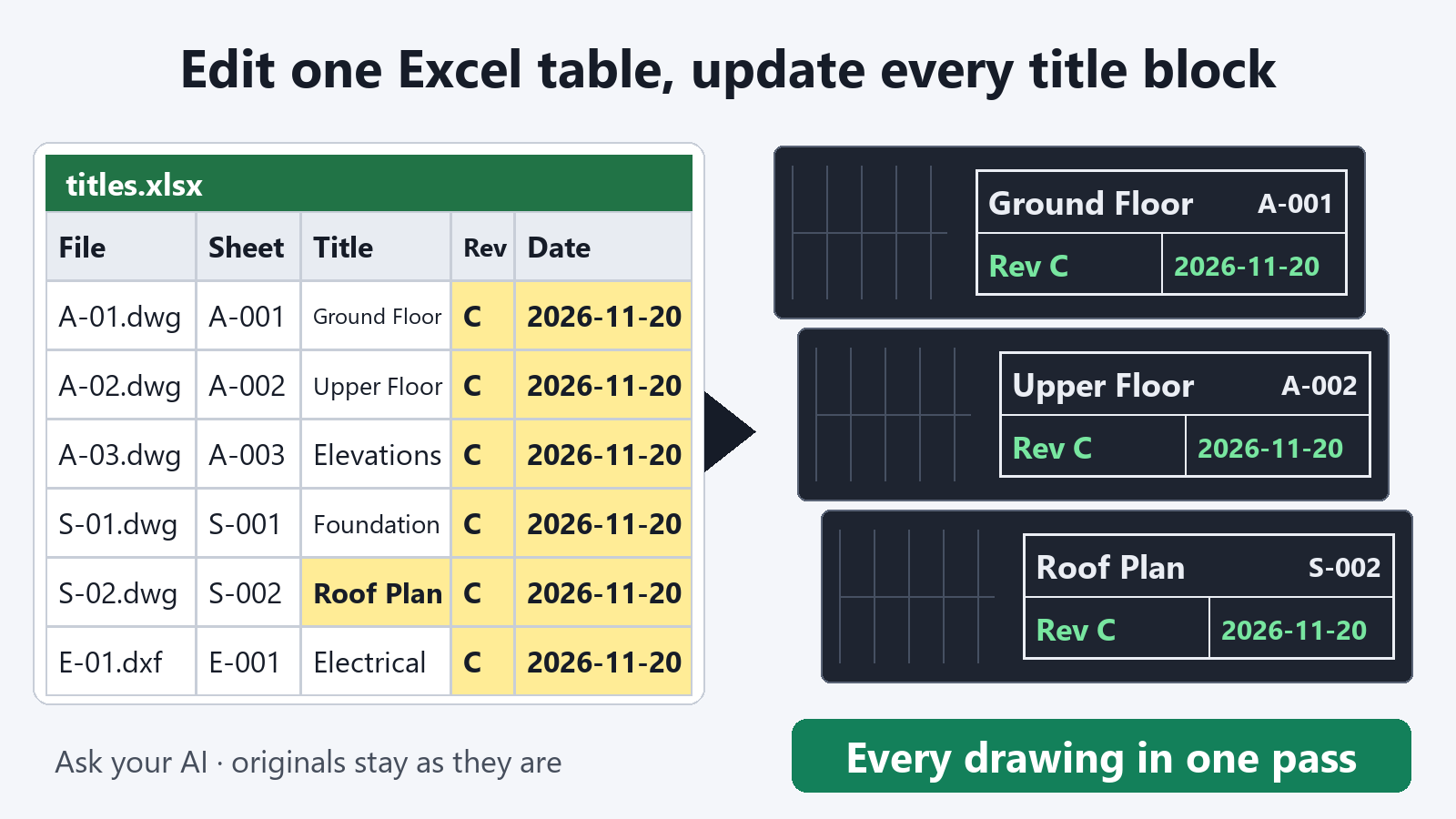
The title blocks of all drawings in the folder go into one table. Each title block is one row, and each attribute is one column. After you edit the table, ask:
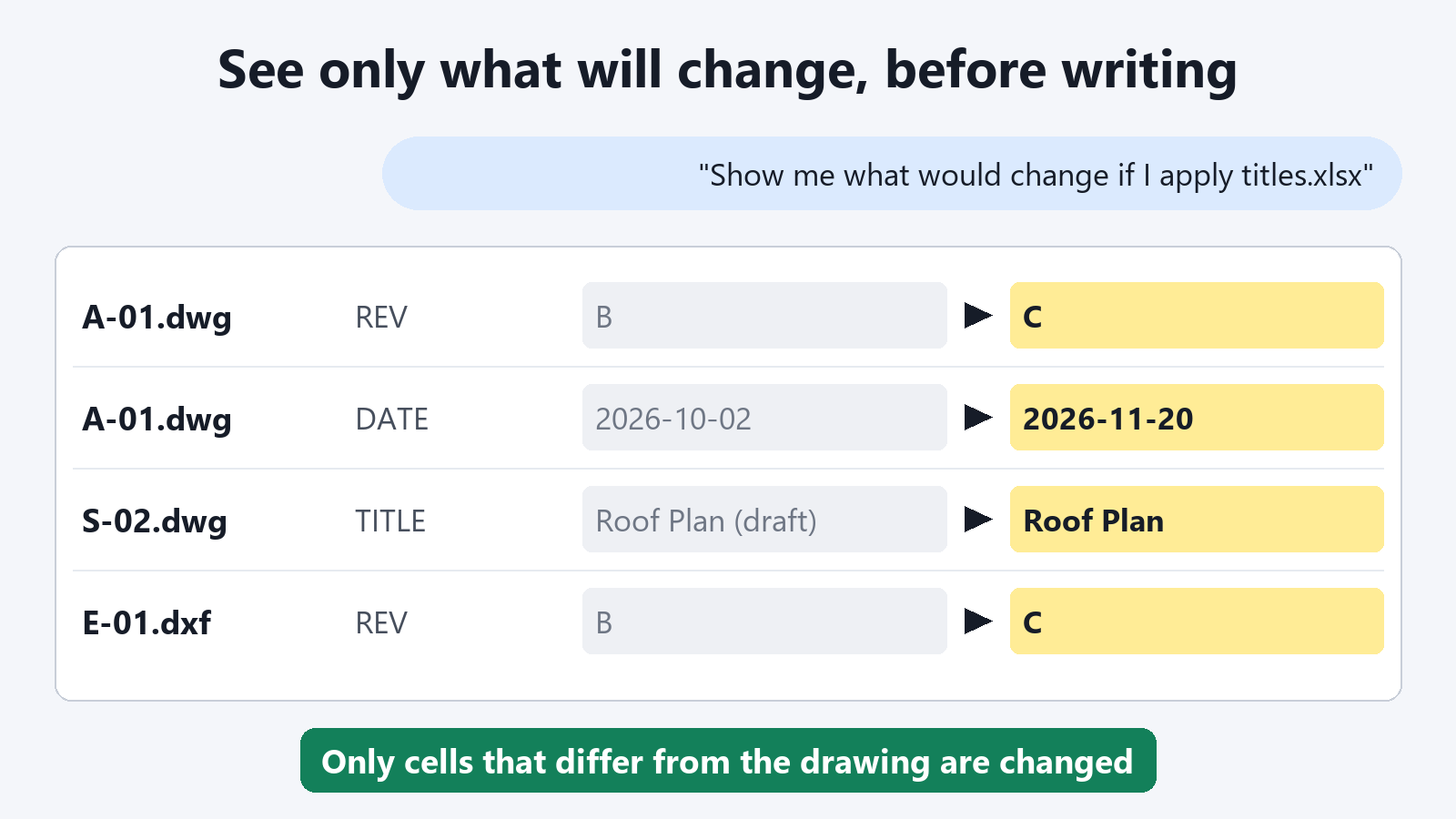
"Show me what would change if C:\Drawings\titles.xlsx is applied to the drawings in C:\Drawings\ProjectA"
"Write it back and save the drawings in a folder named Updated"
How this differs from ATTOUT and ATTIN
- All drawings are in one table. The data is not split into one file per drawing, so you can fix a revision across every drawing with one copy and paste.
- You work with .xlsx directly. You do not need to save it again as tab-delimited text.
- You see only the changes before writing back. The preview lists what would change.
- The original files are not changed. Updated drawings are saved to a different folder.
- Values that Excel altered are caught. 001 stays 001. If a cell has turned into a date or TRUE/FALSE, the tool tells you and does not write it.
- DXF files work without AutoCAD running.
Exporting title blocks and previewing what would change are free. Writing the values back into the drawings is a subscription feature.
FAQ
Can I also handle attributes of blocks other than the title block?
Yes. You can specify the block by name. If you ask "Export the drawings in this folder using the block named ROOM-TAG", the tool makes a table of that block's attributes.
Can I import a file created by ATTOUT?
No. This tool reads a table that it exported itself (.xlsx or .csv). Have the AI export a table first, and edit that table.
Does it read drawings in subfolders?
It reads the drawings directly in the folder you specify. For subfolders, make a separate request for each folder.