Steps with standard AutoCAD features
- Run DATAEXTRACTION.
- Select the option to create a new data extraction, and choose where to save the settings file (.dxe).
- On the drawings page, add a folder or individual drawings.
- On the page for selecting objects, set it to display blocks only, and check only the title block.
- On the page for selecting properties, filter the category to attributes only, and select the attributes to export.
- Choose to output the data to an external file, and save it as .xls or .csv.
For a single open drawing, the ATTOUT command in Express Tools can also export to a tab-delimited text file.
Ask AI to do it in one step
Start AutoCAD. Then ask an AI that has Excel to Title Blocks for AutoCAD installed (such as Claude Desktop):
"Export the title blocks of the drawings in C:\Drawings\ProjectA to C:\Drawings\titles.xlsx"
The tool reads each DWG and DXF file in the folder one by one, finds the title block automatically, and combines them into one table. Each title block is one row, and each attribute is one column. The column names are the tag names of the title block (drawing number, drawing title, revision, date, and so on), so the table is readable as soon as you open it.
If a different block is chosen, the AI lists the names of the other blocks it found. Tell it "Use the block named TB-A1" and it rebuilds the table.
What you can do with the exported table
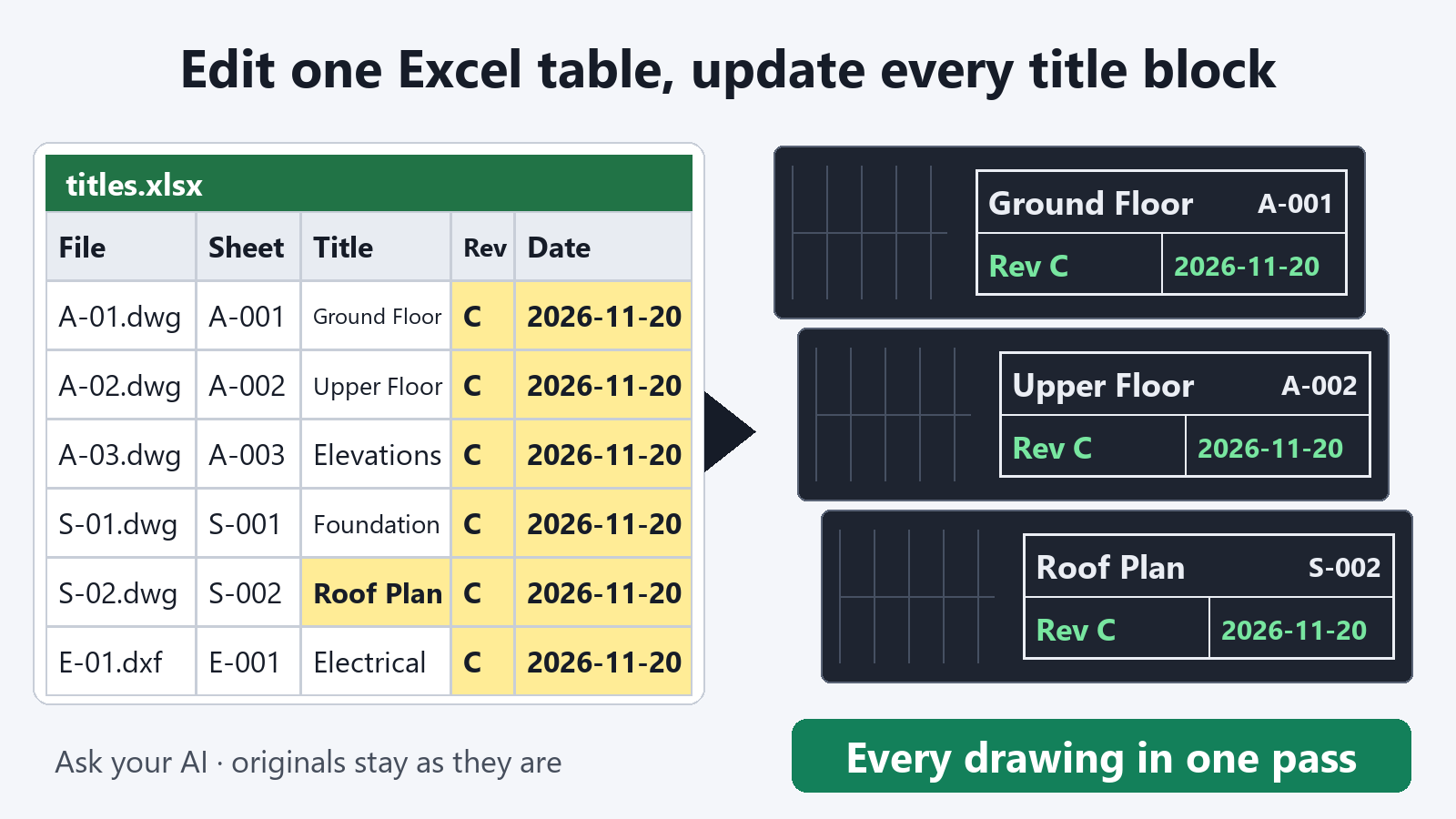
- Use it as a drawing list as it is. File name, drawing number, drawing title, revision, and date appear together in one table.
- Find gaps and inconsistencies. Sorting and filtering show one drawing with an older revision than the rest, an empty date, or drawing titles written in different styles.
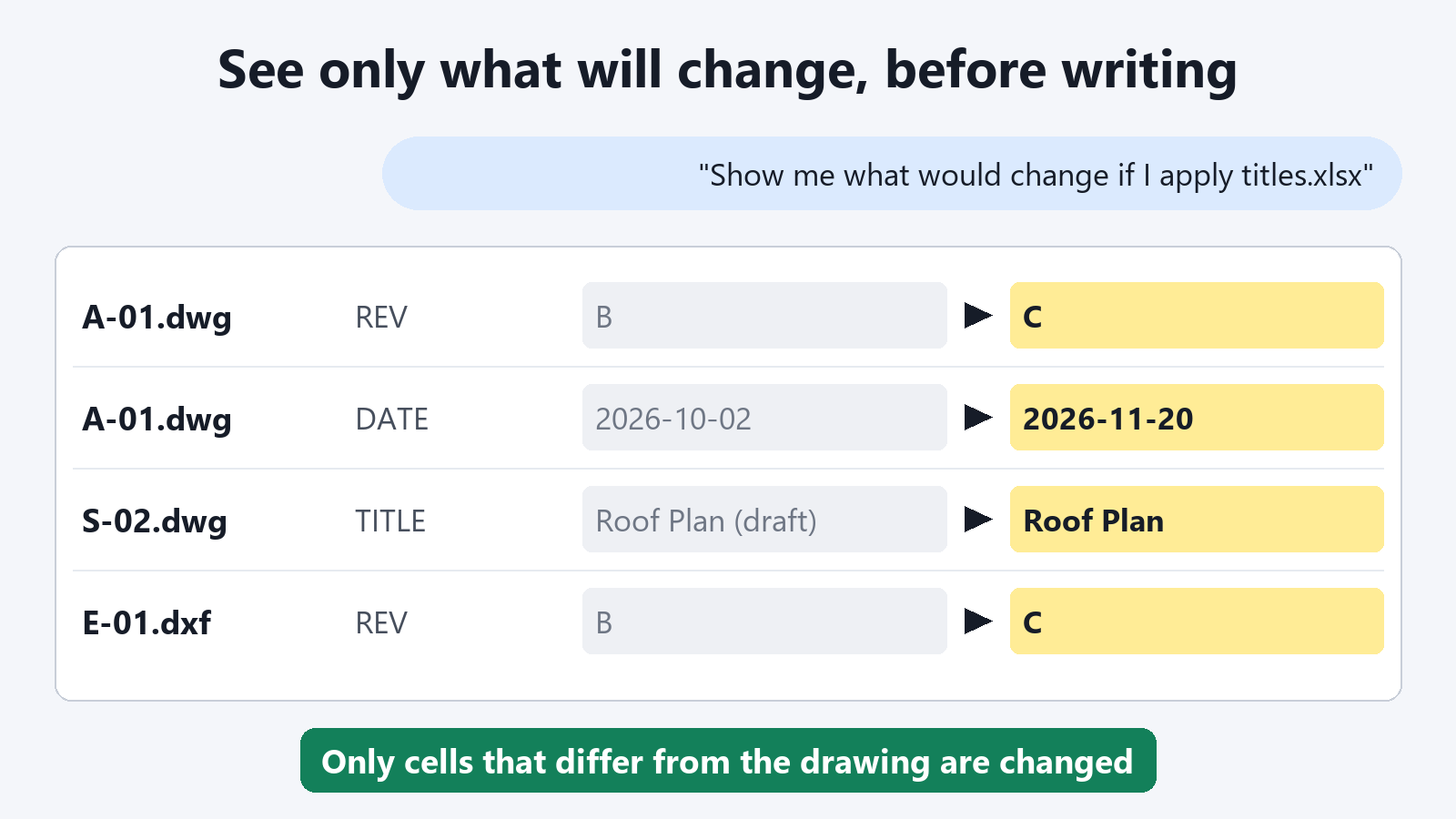
- Write corrected values back to the drawings. Ask the AI to apply only the cells you corrected to the title blocks of all the drawings.
Built to be safe
- Drawings are not changed. Exporting only reads.
- Values are exported as text. A drawing number such as 001 stays 001, and values such as dates are exported so that Excel does not convert them into another format.
- Your current drawing is left alone. DWG files are opened and closed one at a time, but the drawing you have open is not touched.
Exporting title blocks is free, with no limit on the number of times.
FAQ
Can I export without AutoCAD?
For DXF files, you can export without AutoCAD running. For DWG files, use it with AutoCAD for Windows running.
Can I export to .csv instead of .xlsx?
Yes. If you name the output file titles.csv, it exports as CSV. The output keeps leading zeros and long numbers as they are when opened in Excel.
What happens to drawings whose title block is not a block with attributes?
The tool reads title blocks made as blocks with attributes. A title block made of plain text placed in the drawing does not appear in the table.