What you need
- AutoCAD for Windows (DXF files can be handled even when AutoCAD is not running).
- An AI client that supports MCP (such as Claude Desktop).
- Excel to Title Blocks for AutoCAD. Unzip it and add a few lines to the MCP settings of your AI client. You do not need to install Python separately.
Ask AI to do it in one step
Start AutoCAD and ask the AI:
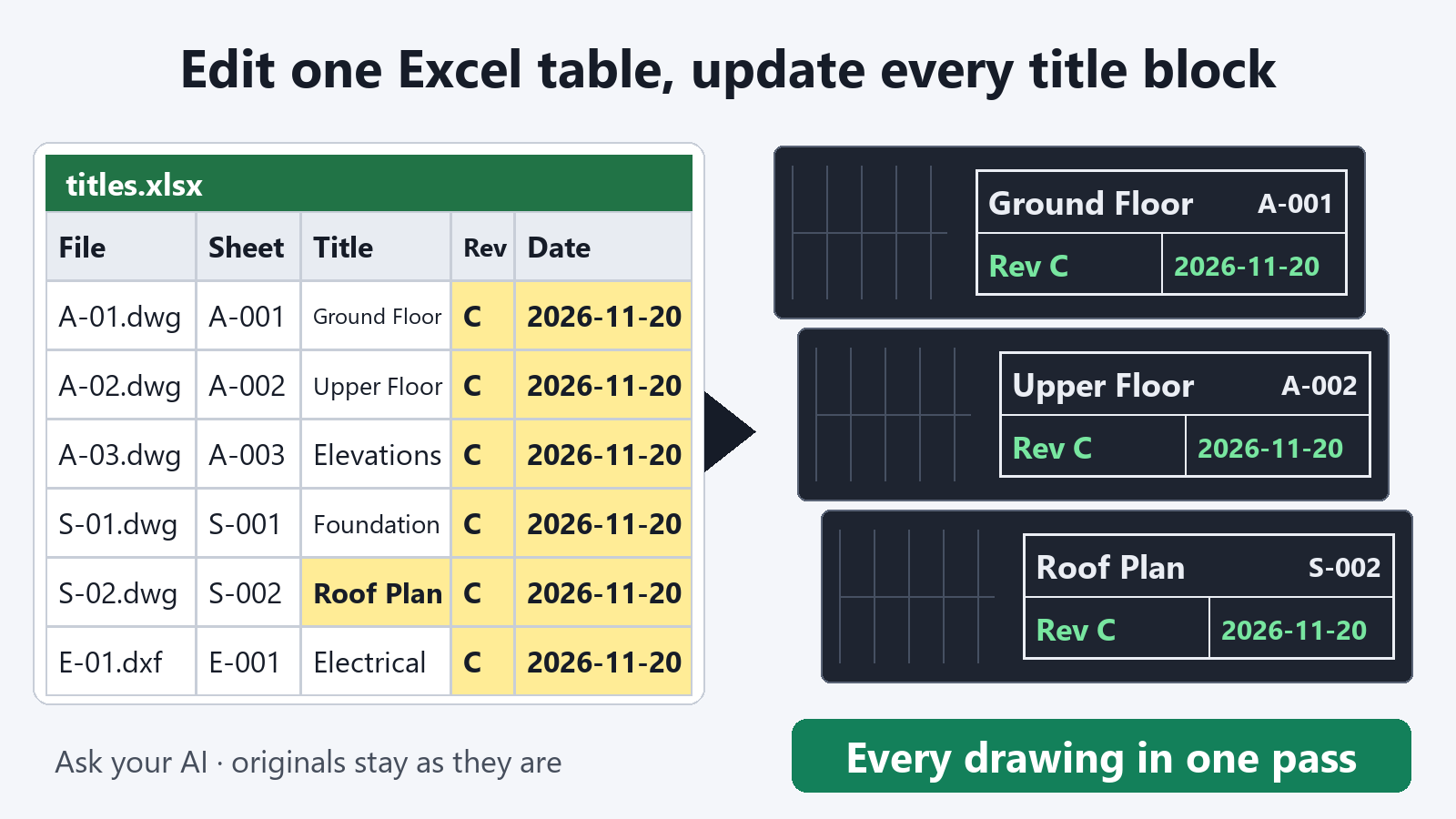
"Export the title blocks of the drawings in C:\Drawings\ProjectA to C:\Drawings\titles.xlsx"
Open the table in Excel, edit what you need (revision, date, drawing title, and so on), and save it. Then ask the AI:
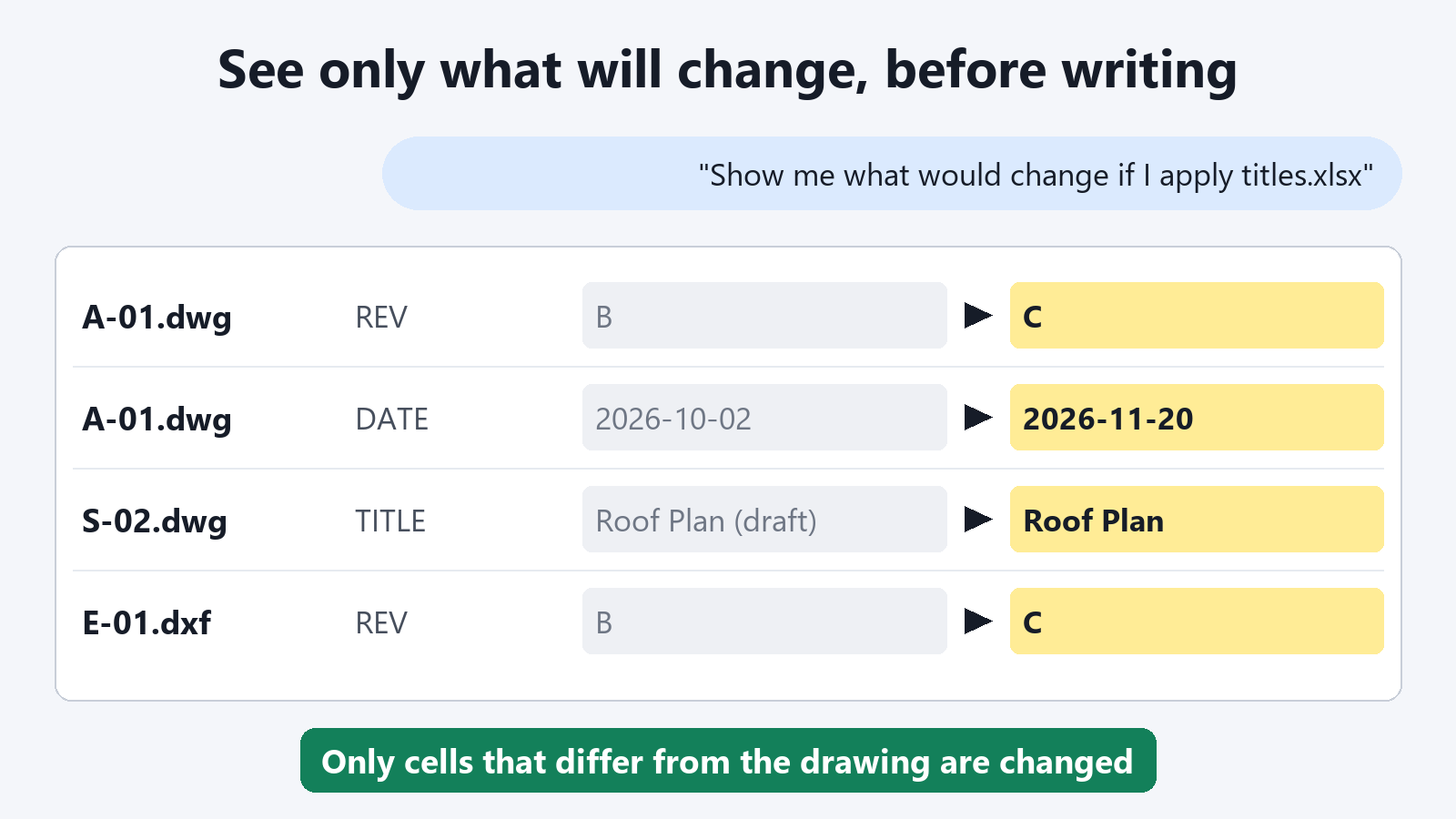
"Show me what would change if C:\Drawings\titles.xlsx is applied to the drawings in C:\Drawings\ProjectA"
"Write it back and save the drawings in a folder named Updated"
The AI returns, for each drawing, the number of values that changed. If any values could not be written, it lists them with the reason.
Why the table sits in the middle
- You decide what changes. You do not leave it to the AI with only a verbal instruction such as "set all revisions to C". You set the values in the table, and the AI writes exactly those.
- You can see what will change first. You get a list that compares the table with the drawings, and you decide whether to write it back after you have seen it.
- The table stays with you. The values entered in the title blocks of all drawings remain as one table.
Built to be safe to delegate
- Your original files are not changed. Updated drawings are saved to a separate folder. If a file with the same name already exists, it is not overwritten.
- Saved drawings are read back and checked. Only drawings that contain all the values that were meant to be written are saved.
- Drawings are read on your PC. The tool does not send your drawing files anywhere.
Exporting title blocks to a table and previewing what would change are free. Writing the values back into the drawings is a subscription feature.
FAQ
Can I use an AI other than Claude?
Yes, any AI client that supports MCP works. The settings to add are in the included manual.
Can the AI rewrite my title blocks on its own?
It writes only the cells where the value in the table differs from the drawing. Before you ask for a write-back, you can check a list of only the values that will change.
Is the AI usage fee included?
No. You use the AI you already have.